Licensing
- Just because your code is on GitHub doesn’t make it open source
- The default is “All rights reserved”
- Choose a license that fits your intentions for the package
- CRAN requires an open source license for submission
Common licenses
Apply with usethis::use_*_license()
| MIT |
Permissive |
Yes |
No |
No |
use_mit_license() |
| Apache-2.0 |
Permissive |
Yes |
Yes |
No |
use_apache_license() |
| GPL-3 |
Copyleft |
Yes |
Yes |
Yes (strong/viral) |
use_gpl_license() |
| LGPL-3 |
Weak copyleft |
Yes |
Yes |
Yes (allows linking) |
use_lgpl_license() |
| CC-BY |
Creative Commons Attribution |
Yes |
No |
No |
use_ccby_license() |
| CC0 |
Public domain |
No |
No |
No |
use_cc0_license() |
GitHub distribution
Installing from GitHub comes free with the development practices we have already discussed.
- Great for niche user bases who are comfortable with R
- No automatic update notifications (
update.packages() won’t catch it)
- Need careful branching to avoid breaking users on main
R-Universe
- Service that builds and hosts R packages from GitHub repositories.
A good option for a collection of packages from your organisation.
- Builds binaries automatically
- Works with
install.packages() via a custom repository URL
- No CRAN review process
R-Universe Documentation: https://docs.r-universe.dev
Setting up R-Universe
1. Create a GitHub repo named <username>.r-universe.dev
2. Add a packages.json registry file:
[
  {
    "package": "fishr",
    "url": "https://github.com/boshek/fishr",
    "branch": "*release"
  }
]
3. Install the r-universe GitHub App on your account
4. Wait ~1 hour - your universe appears at https://<username>.r-universe.dev
https://docs.r-universe.dev/publish/set-up.html
Installing from R-Universe
Users install your package like any CRAN package, but with an additional repository URL:
install.packages(
  "fishr",
  repos = c(
    boshek = "https://boshek.r-universe.dev",
    CRAN = "https://cloud.r-project.org"
  )
)
Or set it once in .Rprofile:
options(repos = c(
  boshek = "https://boshek.r-universe.dev",
  CRAN   = "https://cloud.r-project.org"
))
Then you can install with a simple install.packages()
install.packages("fishr")
CRAN
Where most R users expect to find packages.
- Builds binaries for Windows and macOS
- Updates tracked by
update.packages()
- Distinct versioned releases
- Stringent review process
Releasing to CRAN
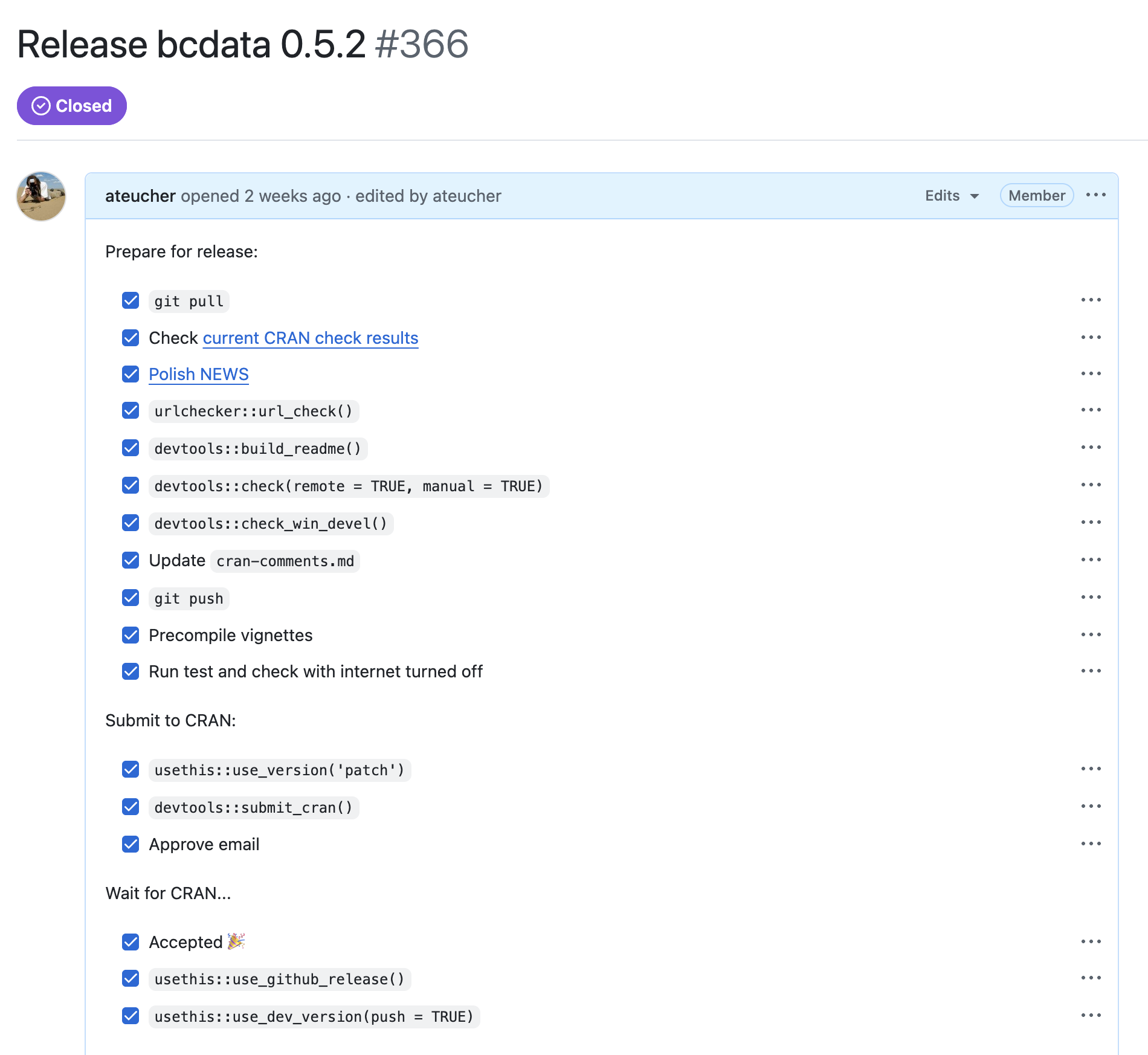
usethis::use_release_issue()
- Good to use even if you’re not submitting to CRAN
- helps you track the release process and ensures you don’t forget important steps.
- Edit/remove items that don’t apply (e.g., reverse dependency checks, blog post etc)
Releasing to CRAN: TLDR
- I use this instead of
submit_cran()
- Runs through an additional list of pre-flight checks
- Builds the package bundle
- Submits to CRAN
This is a pre-flight checklist that complements your ongoing efforts to keep the package passing R CMD check cleanly.
The release process
- Determine the release type (patch, minor, or major - dictates version number)
- Update documentation:
README.(R)md and NEWS.md
check() on multiple operating systems and R versions- Reverse dependency checks (if other packages depend on yours)
- Submit to CRAN and wait for acceptance
- Create a GitHub release and increment the version number for the next cycle
use_news_md()
Adds a NEWS.md file to your package.
- Tracks version numbers
- Records user-facing changes between versions
- Displayed on CRAN and rendered by pkgdown
If your submission is rejected
Do not despair - it happens to everyone, including R-core and tidyverse developers.
- From the CRAN robot: fix the problem and resubmit
- From a human reviewer: do not reply to the email and do not argue - update
cran-comments.md to explain how you addressed the issues, then resubmit